Photograph your dinner. Koonisoo does the nutrition maths.
Snap a meal — or just type its name — and AI fills in calories, protein, carbs, fat, serving size and a 1–5 health score. Every field stays editable by hand.
Not on the App Store or Google Play yet. Manual logging, the diary and weight tracking will be free and need no account — add one and your diary follows you to any device.

AI result
Grilled chicken Caesar salad
1 bowl · about 340 g
Health rating 4/5
A plate is enough to go on
Point the camera at what you are about to eat. Koonisoo works out what it is and what is in it — no barcode to find, no database to search, no scale on the counter.
- Any real plate Home cooking, a restaurant dish, a mixed bowl. Nothing needs a packet or a barcode.
- The portion in front of you It reads the serving actually on the plate, not a standard 100 g row out of a database.
- Before you pick up a fork One photo, a few seconds, and the entry is sitting in today’s diary.
The card on the photo is an example analysis of it. Every number the AI returns is an estimate you can correct.
One step from plate to logged
Three ways in, same result: name, calories, protein, carbs, fat, serving size and a 1–5 health rating, filled in for you and editable afterwards.
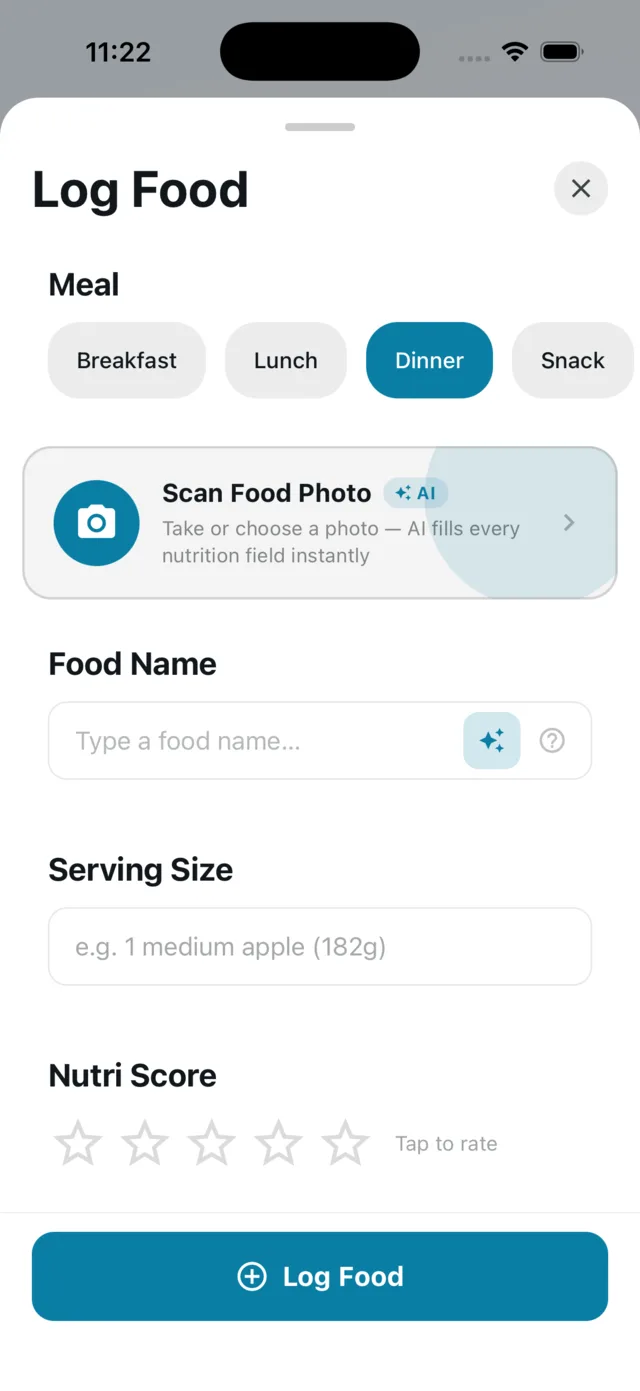
Scan a photo
Camera or photo library. The AI reads the plate and returns every macro field.
Or just type the name
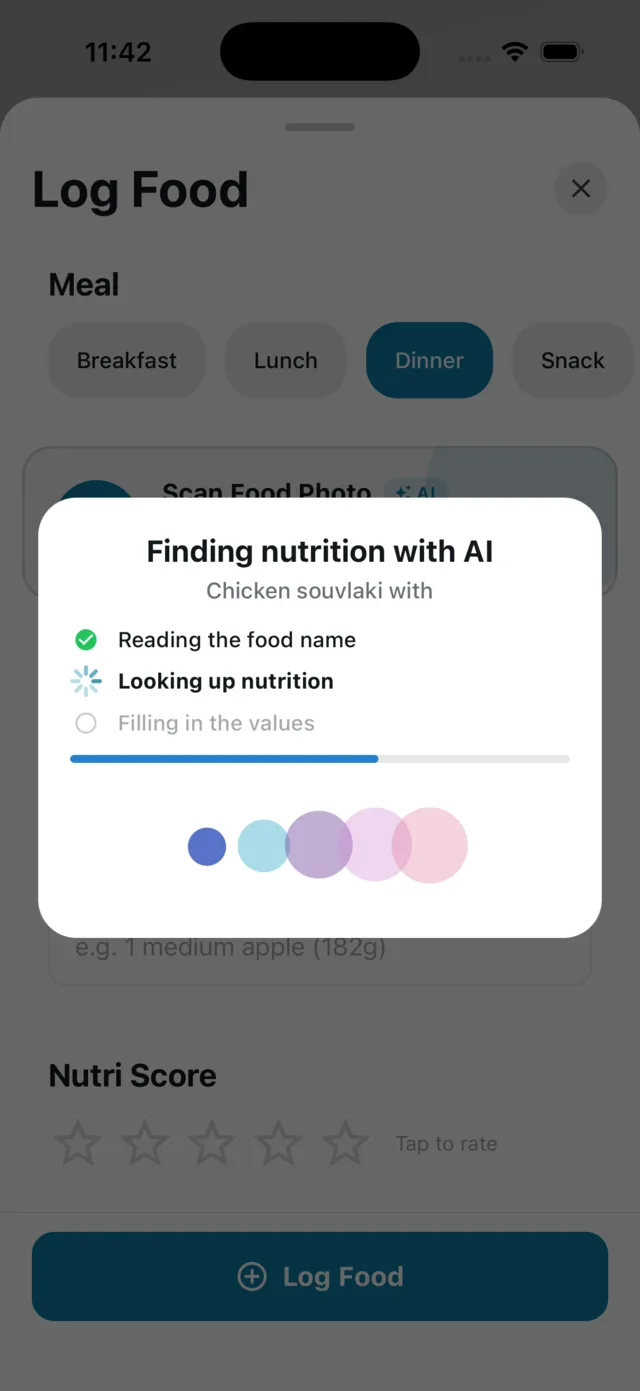
No photo needed. A step-by-step card shows what the AI is doing, then the result before it fades.
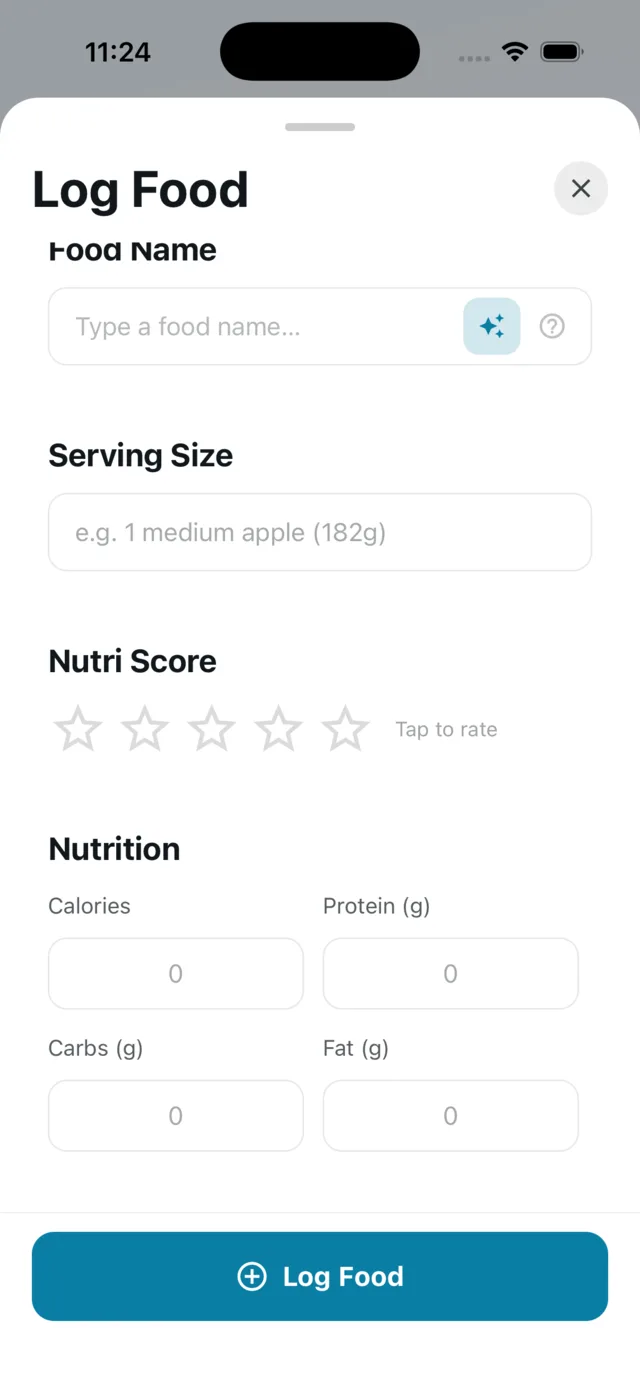
Change the portion, recalculate
Edit the serving size and tap “Recalculate?” — every macro is re-derived for that exact portion. Or type the numbers yourself.
A diary that shows the week, not just today
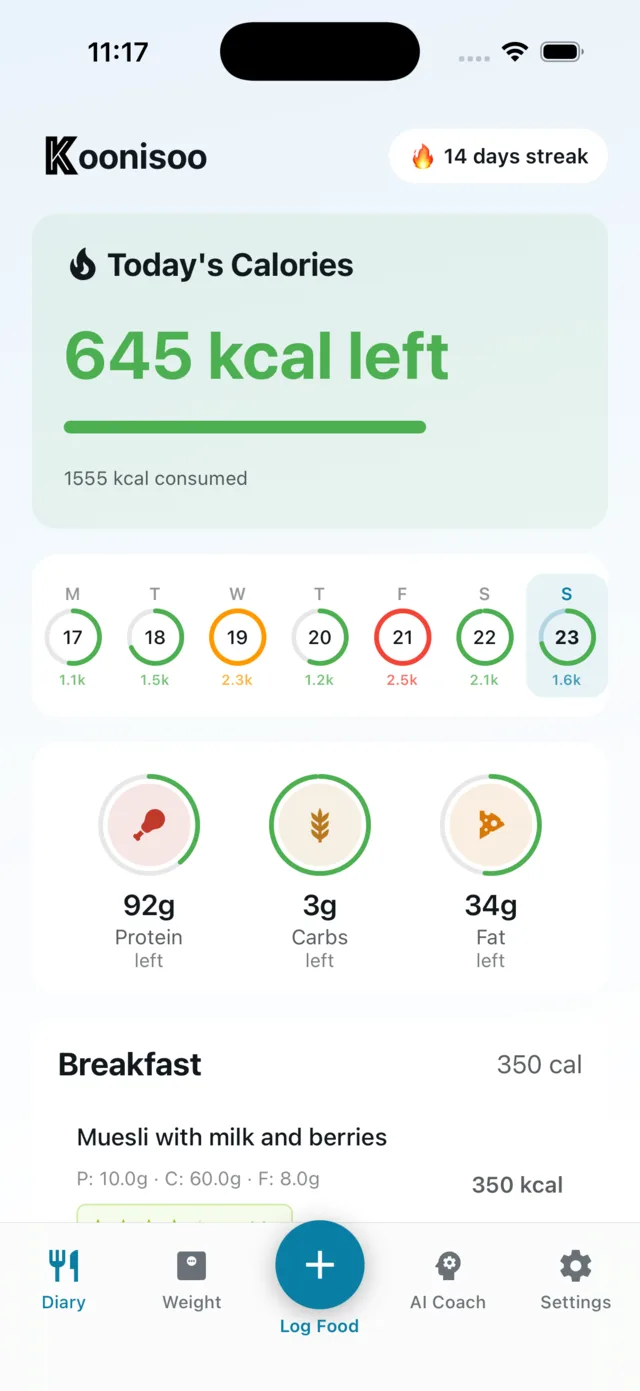
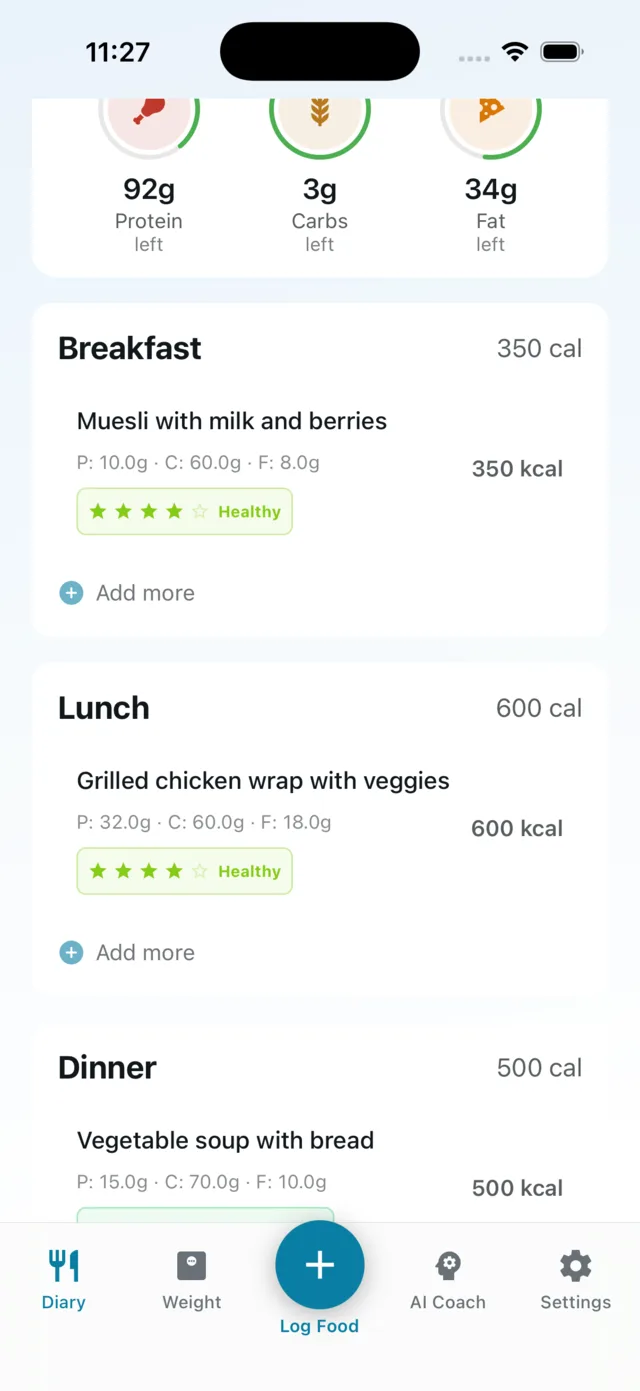
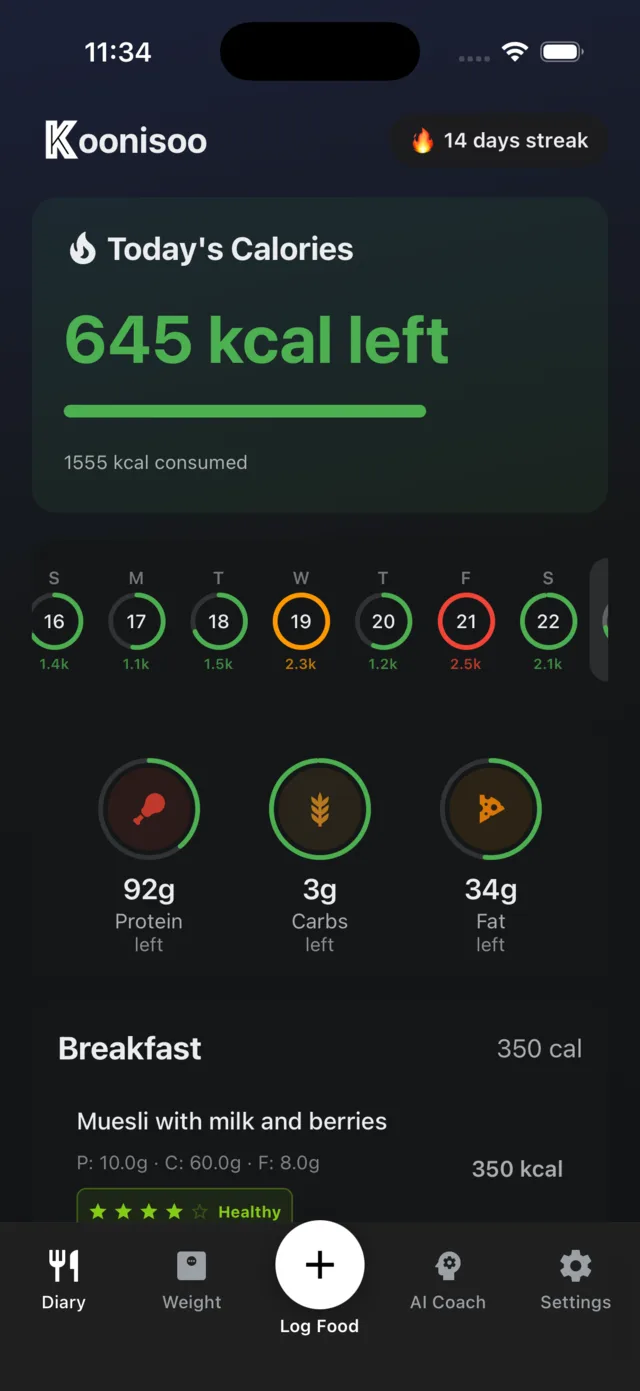
The diary is the home screen. Today’s number sits at the top; the last fortnight sits right under it, one ring per day, so a bad Friday reads as a bad Friday and not as a verdict.
“N kcal left” against your goal, with a colour-coded progress bar.
Protein, carbs, fat rings — grams left against per-macro goals.
14-day history strip — green, orange or red against goal. Tap any day to open it.
A 1–5 health rating per entry, labelled Healthy, Moderate or Unhealthy.
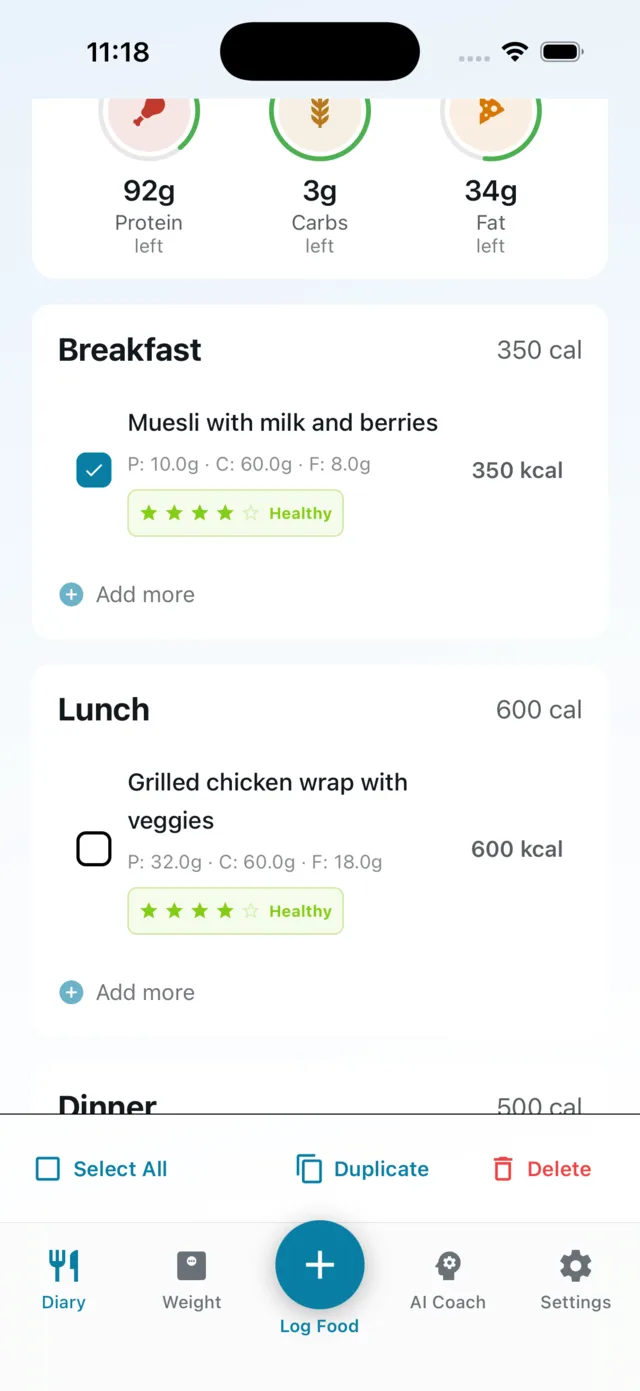
Fix a whole day at once
Multi-select rows to duplicate or delete several entries in one go.
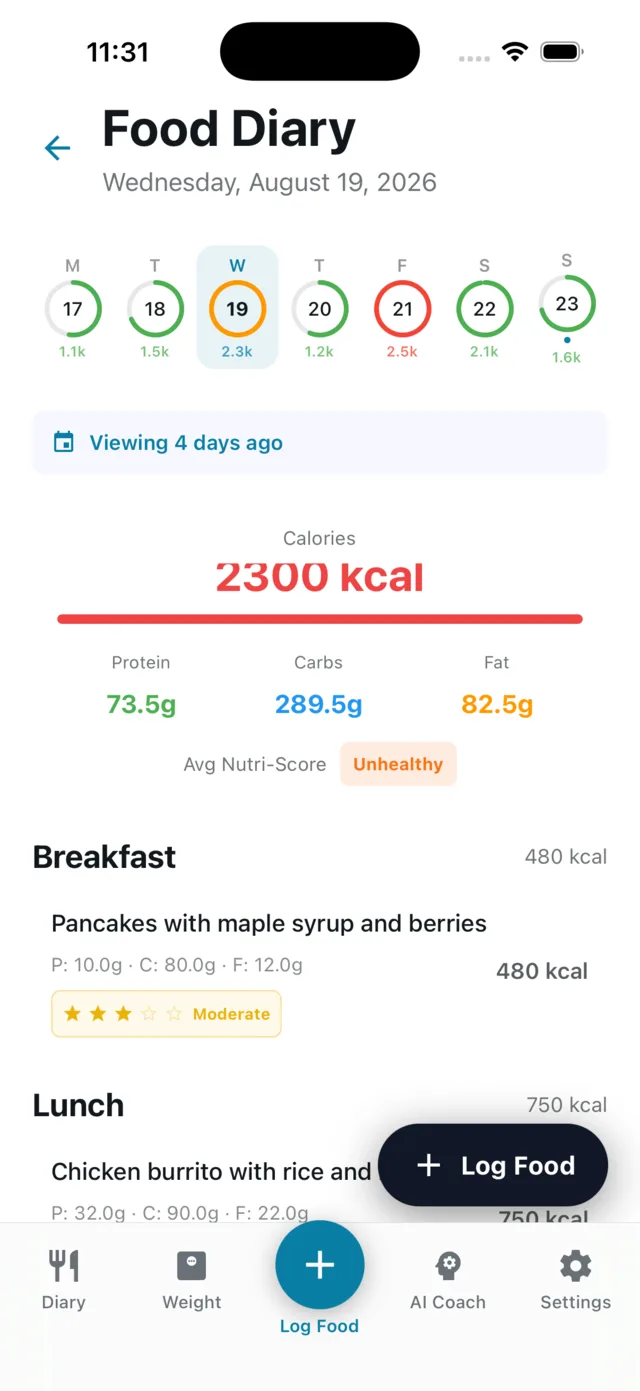
Back-log a missed day
Pick a date from the calendar and log into it. Meals are split into Breakfast, Lunch, Dinner and Snack — and the sheet pre-selects the right one from the time of day.
The trend, not the number you woke up to
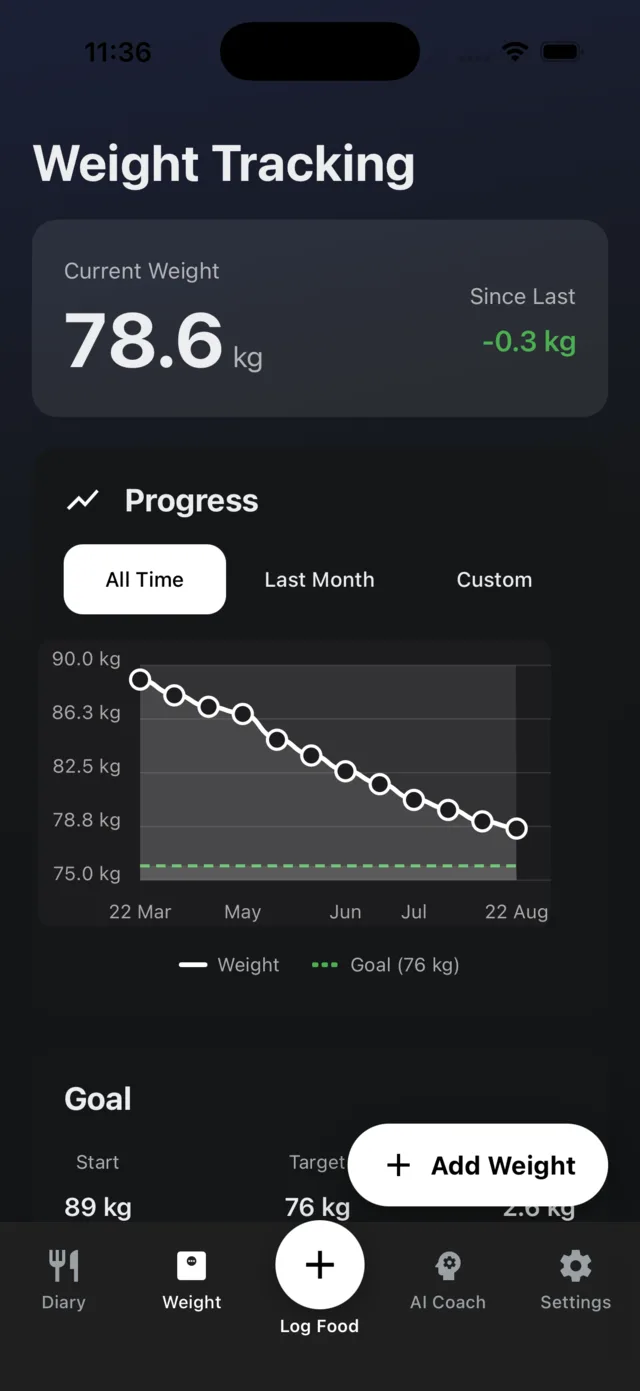
Current weight with the change since your last entry, plotted over all time, the last month or a custom range, with your goal drawn as a dashed line.
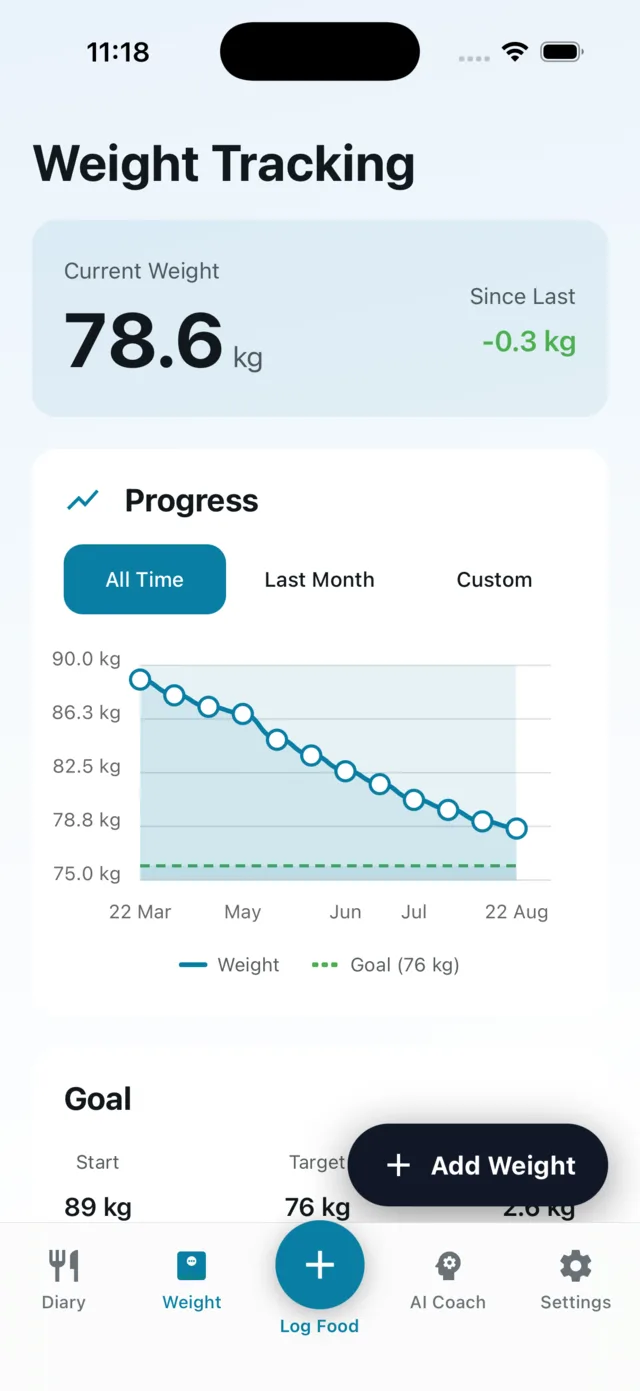
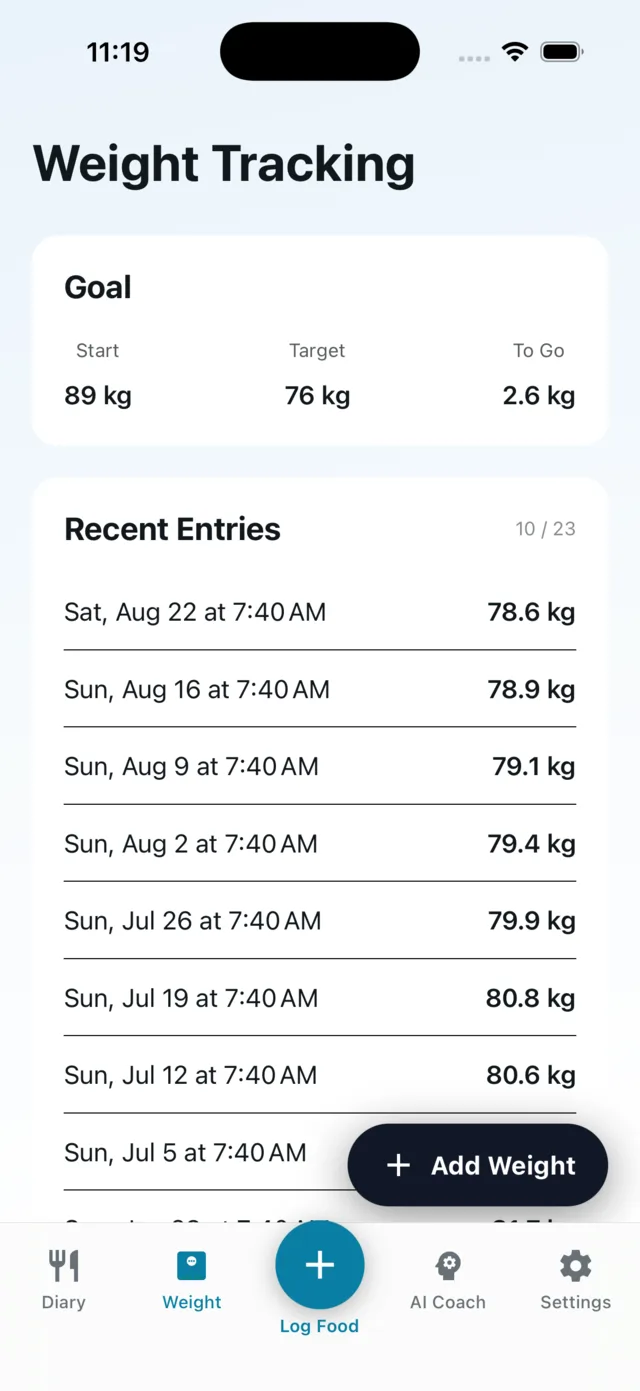
Start · Target · To Go
Where you started, where you’re heading, and how far is left — over the full entry history.
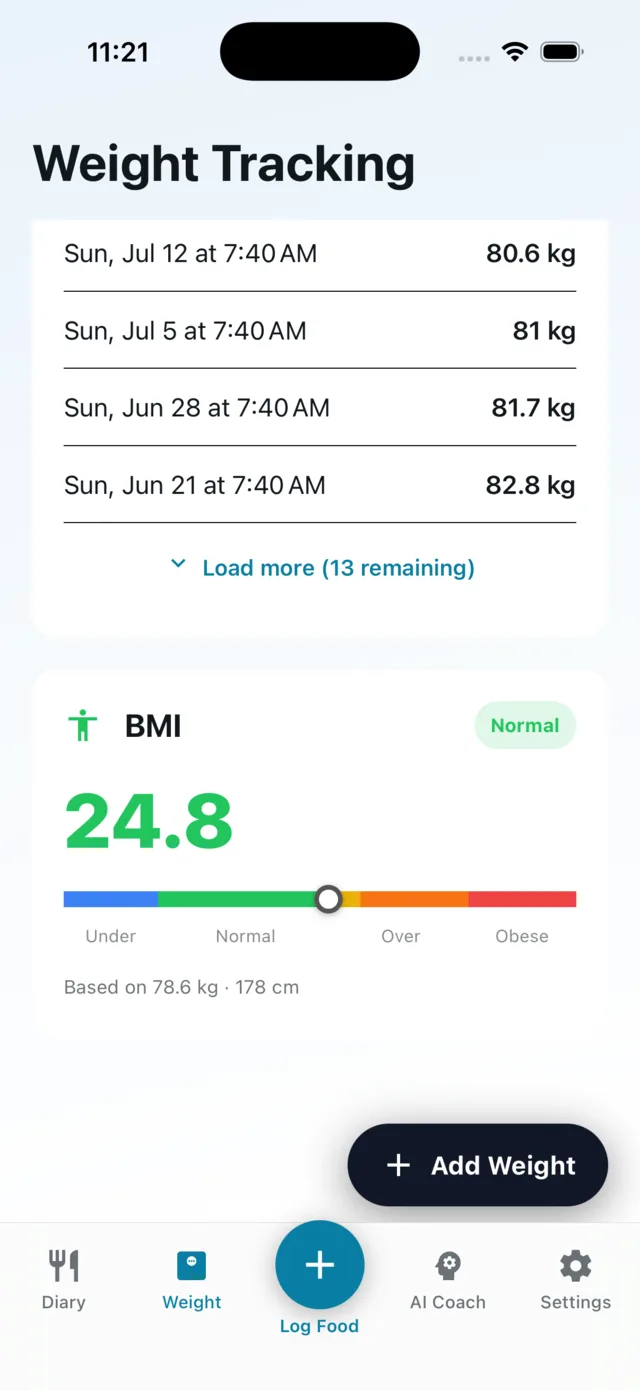
A BMI card that says where you sit
The number, the category, and a marker on a colour-banded scale. A calculator — not medical advice.
Habit, without the gimmicks
A logging streak counter and seven badges. No challenges, no leaderboards, no invented goals to fail — you either logged today or you didn’t.
First entry
Day one
3 days
Consecutive
7 days
Consecutive
14 days
Consecutive
30 days
Consecutive
90 days
Consecutive
365 days
Consecutive
Badge artwork is still in progress. The streak counter is live in the app today.
Bring your own AI coach
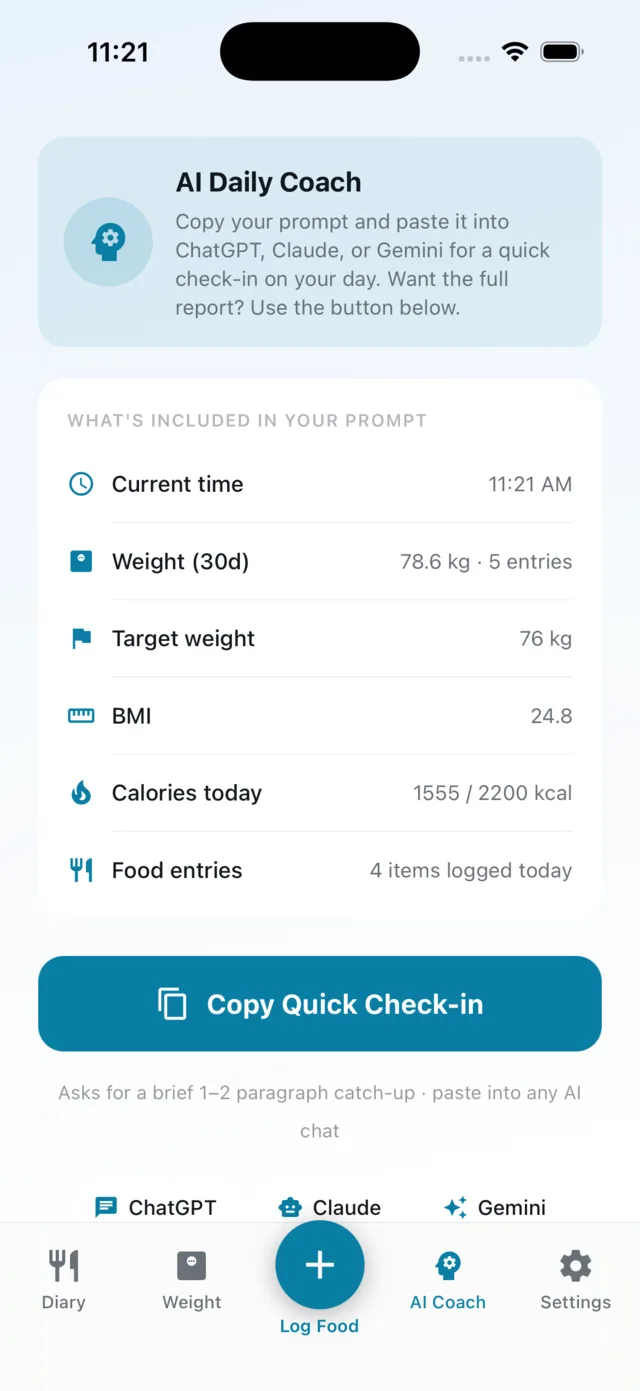
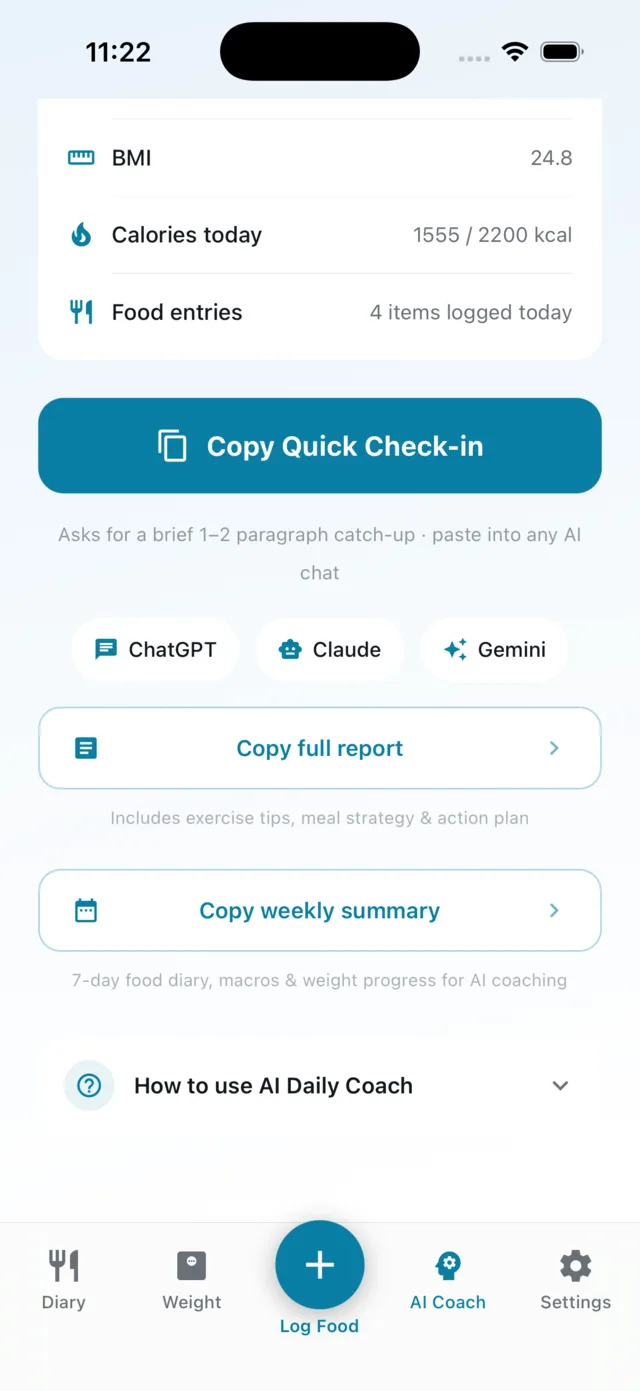
This is a prompt builder, not a chatbot. Koonisoo packages your weight, BMI, calorie goal, today’s food log and your 7-day history into a formatted prompt and copies it to your clipboard. You paste it into ChatGPT, Claude or Gemini — whichever you already pay for.
Quick Check-in — today, in a paragraph.
Full Report — asks for exercise tips, a meal strategy and an action plan.
Weekly Summary — the last seven days in one prompt.
No second subscription, no AI middleman, and nothing is generated inside the app.
Start without an account. Leave with everything.
Manual logging, the diary, weight and BMI work with no sign-up at all. Your data lives in a database on the device — add an account and a copy of it travels with you.
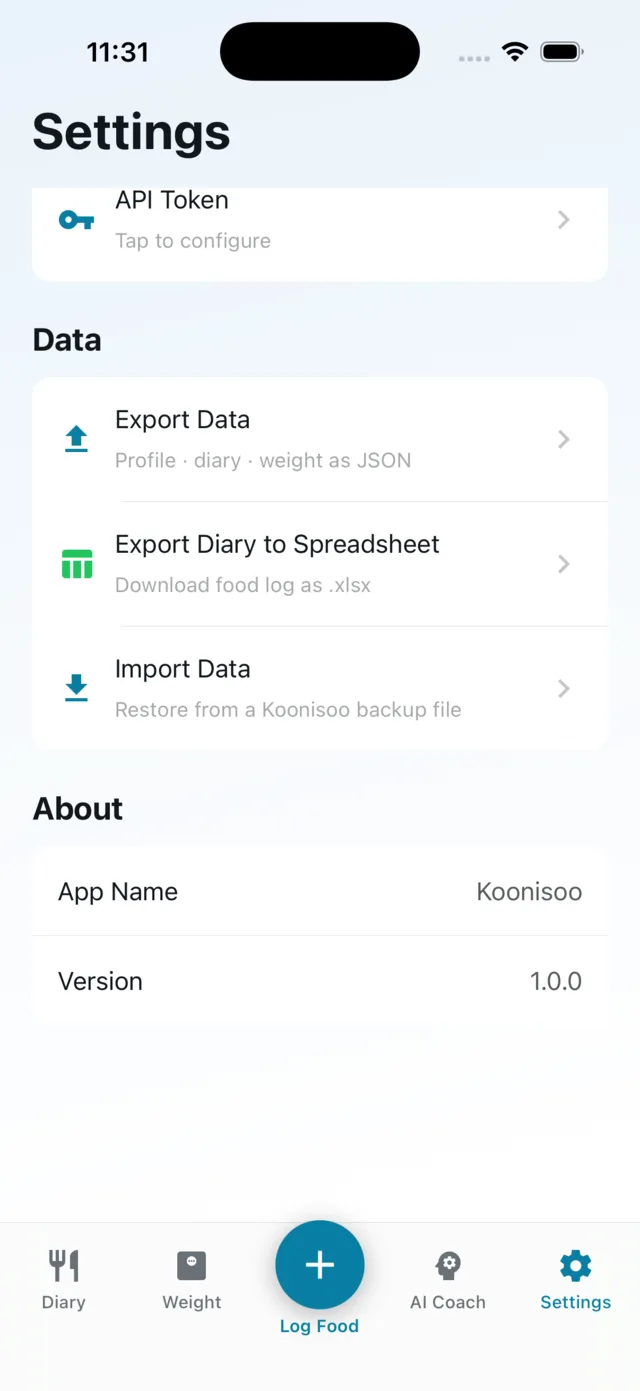
Export everything as JSON
Export the food diary as a spreadsheet (.xlsx)
Import a backup back in
What leaves your device: photos you scan are sent to Koonisoo’s servers to be analysed, and may be used to improve the accuracy of the recognition models. If you create an account, your diary, weight history and goals are stored in it too — only you can read them. Without an account, nothing but the photos you scan ever leaves the device.
Your diary on every device — or on none
Koonisoo works fully without an account, and always will. Add one and your food diary, weight history and goals follow you to any device you sign in on. Nothing nags you to create one.
Works offline — log food on a plane or in a basement. Entries save instantly to the phone and sync themselves once you are back online.
The phone stays in charge — everything you see is read from the device, so nothing you do ever waits on a connection.
Signing in merges, it doesn’t overwrite — everything you logged before creating an account joins what is already there. If the same entry is edited on two devices, the most recent edit wins.
Only you can read it — every row is tied to your account and the database enforces that, not just the app.
Delete an entry and it is deleted for good, on the phone and in your account — there is no hidden copy and no archive. Signing out removes your data from that device; signing back in brings it down again.
Your calorie target, calculated once
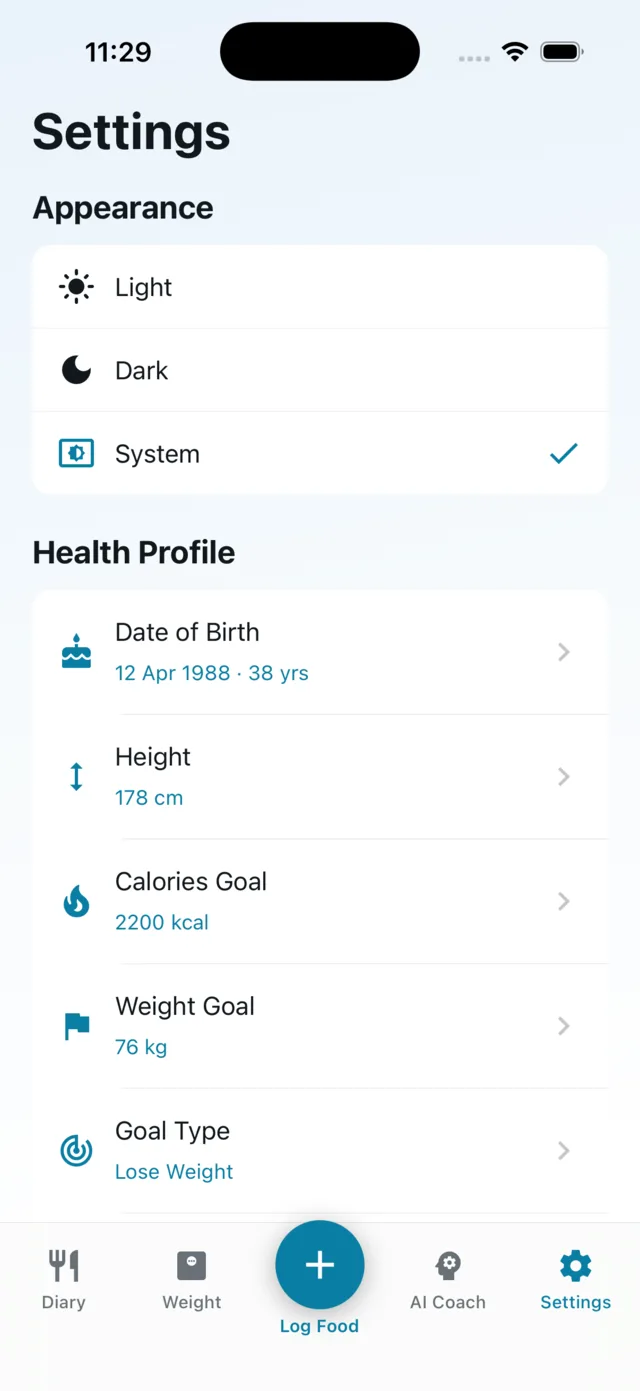
Onboarding takes your height, weight, age, activity level and goal — lose, maintain or gain — and computes a daily target with the Mifflin–St Jeor equation, then derives protein, carbs and fat goals from it. Every goal is editable afterwards. Activity level is a one-time question, not a workout log.
Built for both, all the way through
Every screen is designed twice — the diary, the charts, the sheets. Pick Light, Dark, or System and let it follow your phone.
Switch the screenshots to see either one. This page has the same toggle in the top corner.
Get notified when Koonisoo launches
One email when the app hits the App Store and Google Play. No newsletter, no drip campaign.